 intaj
intaj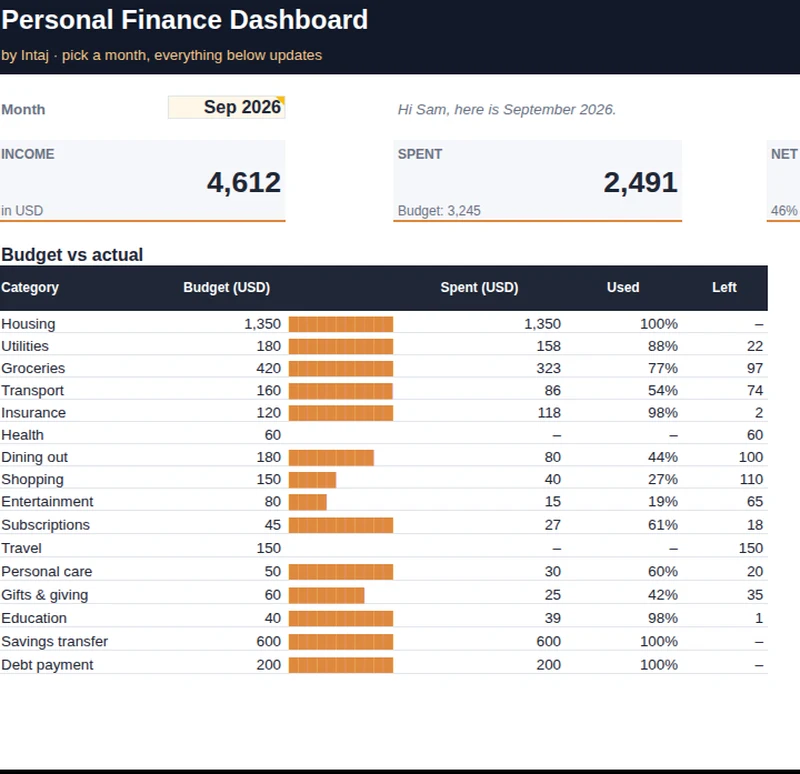
An honest savings rate
Money you move to savings is tracked as saving, not spending, so the number means something.
46%
Sample month · income 4,612 · net saved 2,121
Budget, spending, savings goals and net worth in one workbook. Type or paste your numbers, and every total, chart and progress bar updates by itself.
Most money tools either ask for too much (logins, monthly fees) or give too little (a blank grid). This one sits in the middle: a finished workbook you own, that does the math for you.
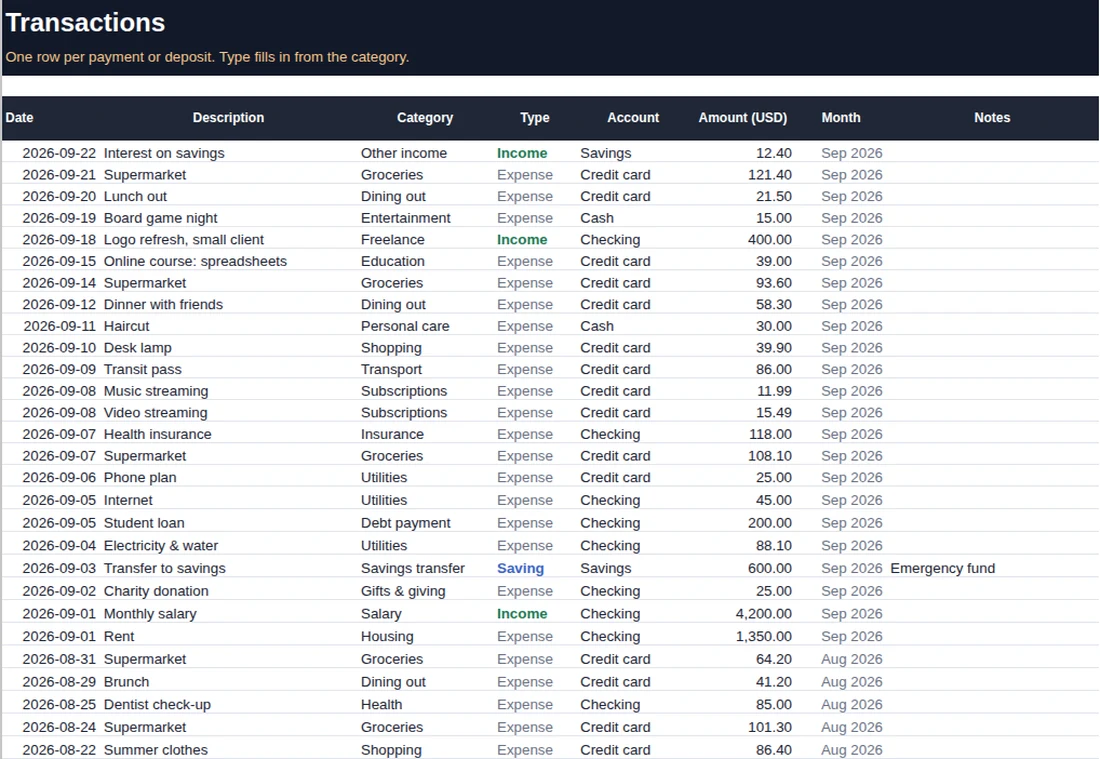
Pick a category for each transaction. Budget, monthly totals, savings rate, goals and charts follow on their own.
Money you move to savings is tracked as saving, not spending, so the number means something.
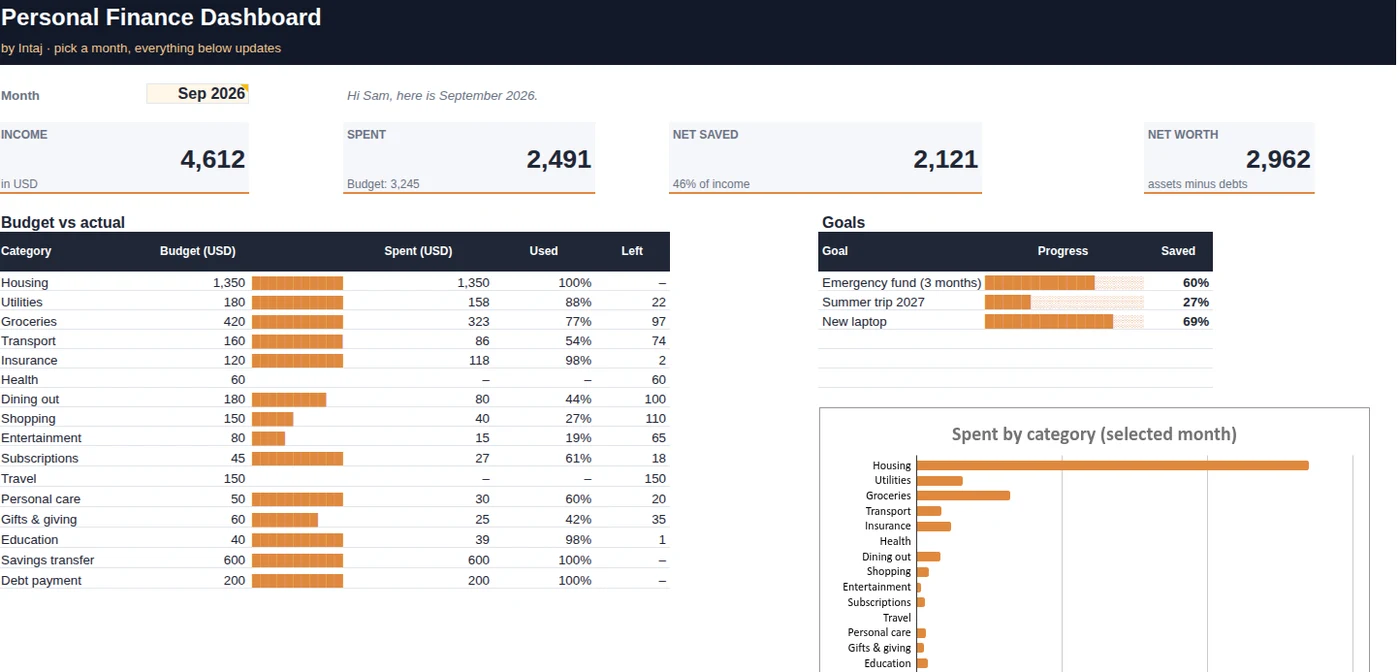
Set a monthly amount for each category. See what's spent, what's left, and what went over.
Enter a target and a date. The sheet shows your progress and how much to set aside each month.
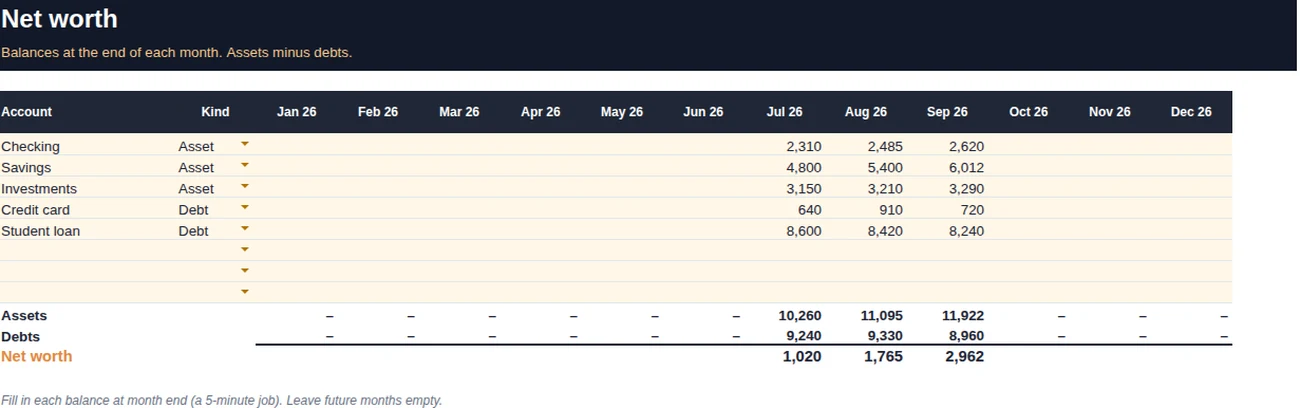
Add your month-end balances. Assets minus debts, tracked across the year.
List your debts, pick avalanche or snowball and an extra amount. See the month each one is gone and what the interest costs.
Drop in your bank's CSV. Keyword rules you control fill in the category, so a month of transactions takes minutes.
Income, spending, net saved and net worth for the month you choose, with budget vs actual, goals and a spending chart.
Date, description, category, account, amount. The type (income, expense or saving) fills in from the category, and the month is worked out for you.
Enter each account's balance at month end. Assets, debts and net worth are totalled for every month of the year.
It arrives with three months of sample data, so you can see how it behaves before you add your own numbers.
Checkout takes a minute. The file is ready to download straight away.
In Excel, just open it. For Google Sheets, open the copy link on your download page and your own copy is made in one click.
Set your currency, clear the sample data, set your budget. The Start here sheet shows how.
No subscription. Your file, your numbers.
Get the dashboardSecure checkout by Gumroad · Cards, PayPal, Apple Pay