
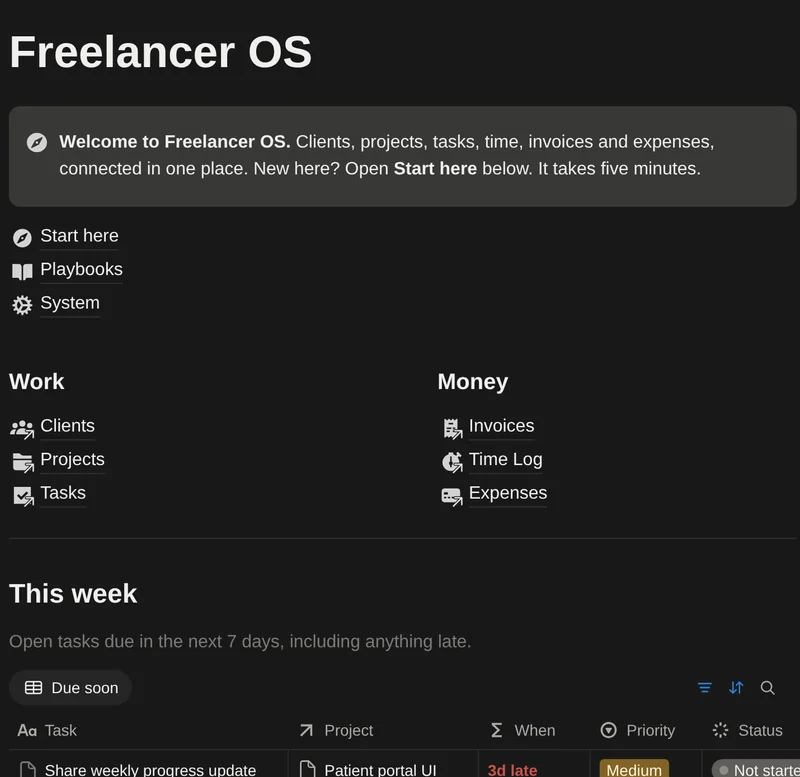
NOTIONA system for freelancers

Your freelance business, in one calm page.

Clients, projects, tasks, time, invoices and expenses, connected. Open one page and see what's due, who owes you, and what each project really pays per hour.

7 languagesEN · ES · PT · AR · FR · DE · JANotion Freeworks fullyInstantaccess by email14 daysmoney-back
Sound familiar?

A task app, a time tracker, an invoicing tool, two spreadsheets, and a sticky note that says “don’t forget the invoice!”.

Freelancing is five jobs at once. When your work, clients and money live in different places, things slip: an invoice nobody chased, a follow-up you forgot, a “great” project that quietly paid less than minimum wage.

Which invoices are overdue? What's due this week? Who should I follow up with? Is this client worth it? What do I actually earn per hour?
One system

Everything connected. Nothing to maintain.

Log an hour, tick off a task, mark an invoice paid. Progress, profit and client value update on their own.

Know what your work really pays

Effective rate = (earned − project costs) ÷ hours logged. Fixed-price work finally gets an honest hourly number.

Example: Website redesign
Paid so far$2,400
Project costs−$600
Hours logged37 h
Effective rate$49/h

Get paid on time

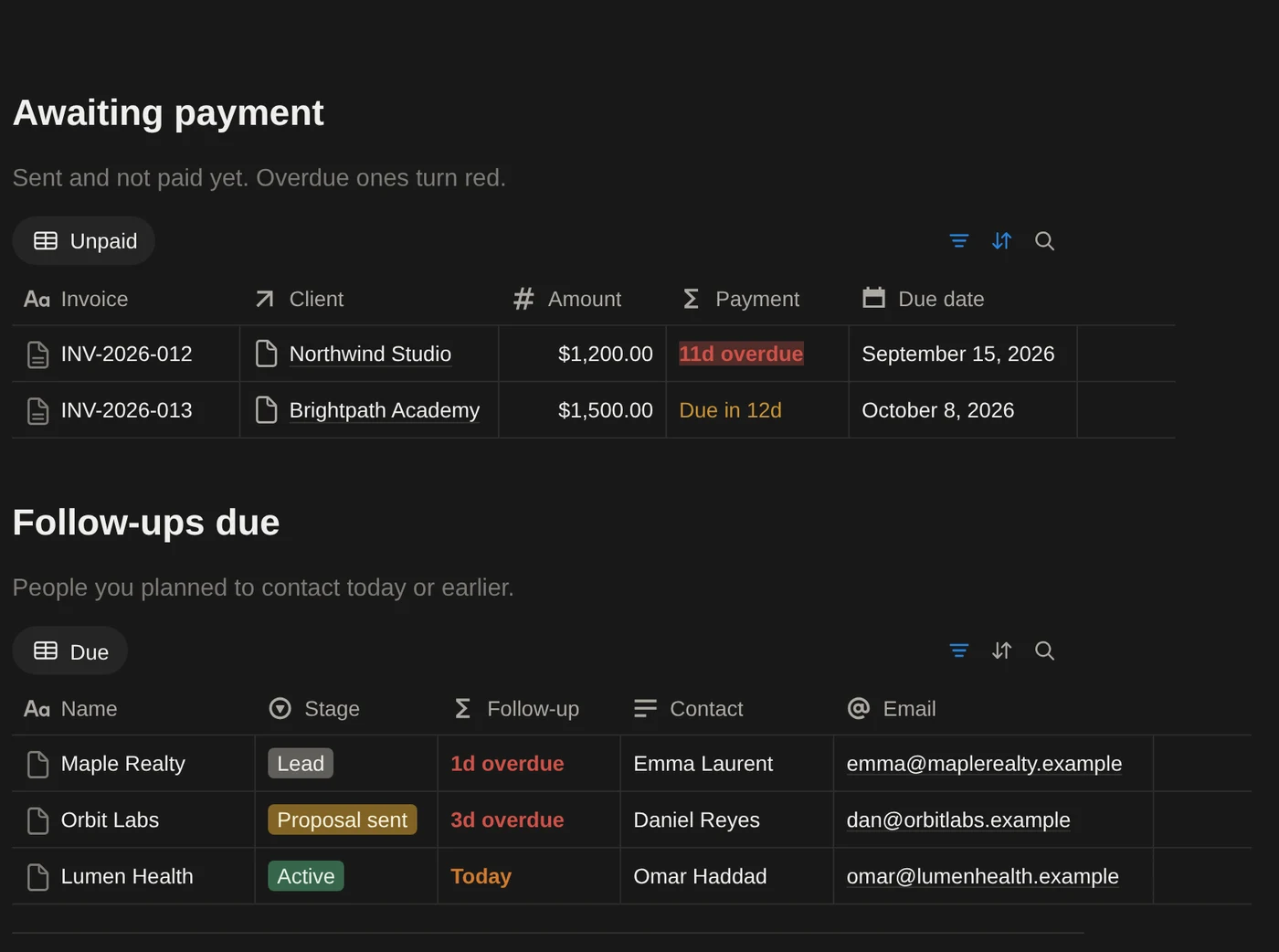
Every invoice shows its own status. The ones you need to chase turn red, with the number of days late.

INV-2026-011Lumen Health · $1,360Paid
INV-2026-013Brightpath Academy · $1,500Due in 13d
INV-2026-012Northwind Studio · $1,20010d overdue

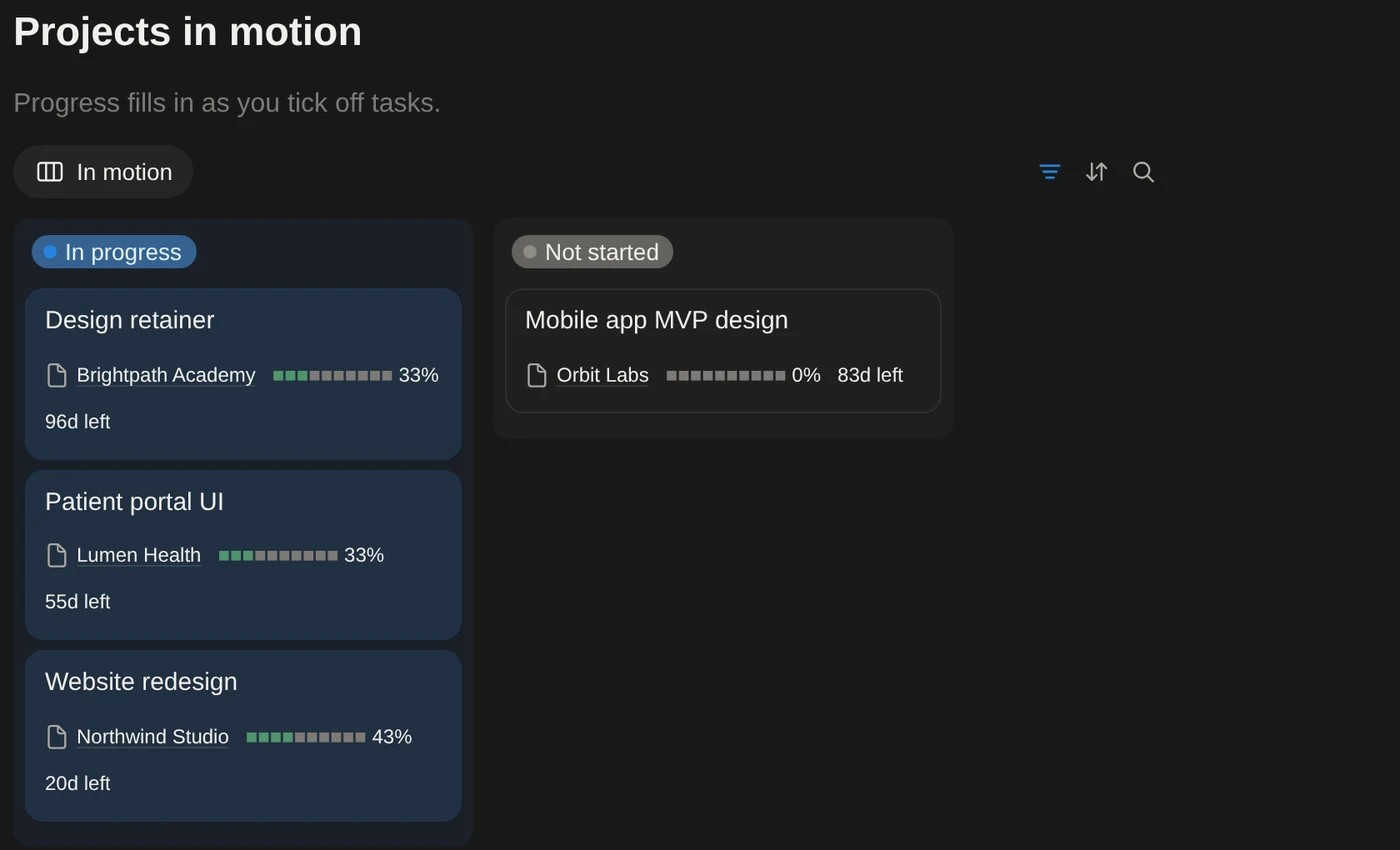
Projects that track themselves

Progress fills in from the project's tasks. Deadlines count down and flag what's slipping.

Website redesign43% · 21d left
Patient portal UI33% · 56d left
Brand identity refreshDelivered

A CRM that remembers for you

Set a follow-up date and the client shows up on your home page when it's time. Lifetime value and unpaid totals come from their invoices.

Maple RealtyLeadToday
Orbit LabsProposal sent2d overdue
Home

Open one page. Know what to do next.

Your home page pulls the important parts from every database, so you never dig through tables to find today's work.
  • Tasks due this week, late ones first
  • Every active project with its progress bar
  • Your numbers at the top: unpaid, overdue, paid this month, hours this month
  • Income by month, invoices awaiting payment, follow-ups due
Projects in motion board with progress bars and deadlines
Money

See the month, and the money still out there.

Income by month is built from paid invoices, so it's always accurate. The Profitability view ranks projects by what they actually made you after costs.
  • Fixed, hourly and retainer billing
  • Billable hours turn into invoice amounts automatically
  • Subscriptions view shows what your tools cost per year
Awaiting payment and follow-ups views in Notion
Invoices

Send a clean invoice in two minutes.

Click New and the invoice template lays it out for you: your business details, who it's to, the line items and the next invoice number. Fill in the amount, then print or export it to PDF.

  • Invoices are numbered automatically, in order
  • Your business and payment details live in one place: edit them once, every invoice follows
  • Ready templates for new clients, projects and time entries too

New in October 2026, in all seven language editions.
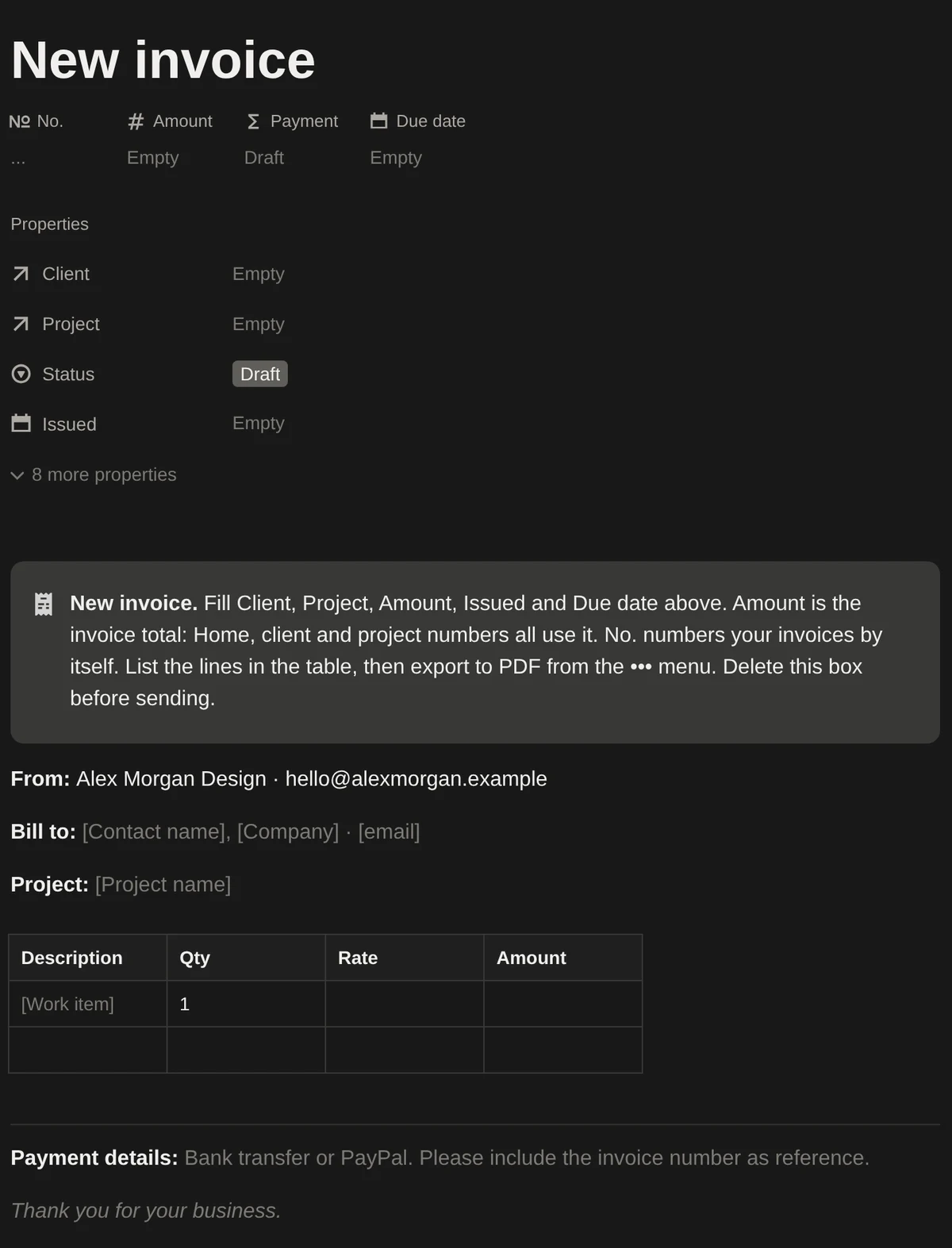
New invoice template with business details, line items and payment details
What's inside

A complete system, not a blank table.

It arrives filled with six months of sample work for a design freelancer, so you can see exactly how it behaves before you add your own work.

6
Connected databases
Clients, Projects, Tasks, Time Log, Invoices, Expenses
19
Ready-made views
Boards, calendar, timeline, profitability, subscriptions and more
5
Playbooks
Client onboarding, proposal template, weekly review, pricing, wrap-up
5 min
Setup
A Start here guide walks you through it, step by step
How it works

Up and running before your coffee cools.

Buy once

Checkout takes a minute. You get the template link by email instantly.

Duplicate into Notion

One click copies Freelancer OS into your workspace. Free Notion accounts work.

Make it yours

Set your currency, clear the sample data, add your first client. The guide shows you how.

One-time purchase

Freelancer OS

$29USD, once

No subscription. Yours to keep and customize.

Get Freelancer OS

Secure checkout by Gumroad · Cards, PayPal, Apple Pay

Not ready yet? Start with the free Invoice Tracker Lite →

  • 6 connected databases and 19 views
  • Home page with tasks, projects, income and follow-ups
  • Invoice template with automatic invoice numbers
  • Templates for new clients, projects and time entries
  • 5 business playbooks
  • Sample data and a 5-minute setup guide
  • English, Spanish, Portuguese (Brazil), Arabic, French, German and Japanese editions, all included
  • Free updates to this version
  • Email support from the people who built it
14
14-day money-back guarantee. If it isn't right for you, email us within 14 days for a full refund. No forms, no hoops.
FAQ

Questions, answered.

Do I need a paid Notion plan?
No. Everything works on Notion's free plan. The template uses one chart (Income by month), which is exactly what the free plan allows.
How do I get the template after buying?
Right after checkout you get an email with a link. Open it and click “Duplicate” in the top right to copy Freelancer OS into your Notion workspace.
Can I use my own currency?
Yes. Change the number format of the money fields to any currency Notion supports. The Start here guide shows exactly where.
I'm not a designer. Will it fit my work?
Yes. The sample data follows a design freelancer, but the system is built around clients, projects, hours and invoices, which every freelancer has: developers, writers, consultants, marketers, photographers and more.
Which languages is it available in?
English, Spanish, Portuguese (Brazil), Arabic, French, German and Japanese. Each edition is fully translated: page names, properties, views, playbooks and sample data, with a local currency to start from. One purchase includes every edition, and new languages are added for free as they ship.
Does it work on my phone?
Yes. All views work in the Notion apps for iOS and Android.
Can I send invoices as PDFs?
Yes. Open an invoice page and use Export or Print from Notion's ••• menu, or your browser's Print → Save as PDF.
What if it's not for me?
Email [email protected] within 14 days of purchase and we'll refund you in full.

Spend less time running the business, and more time doing the work.

One-time purchaseWorks on Notion Free14-day refund