 intaj


Fill it in your language. Send it in your client’s.
For freelancers and small businesses: a free invoice and quote maker that can print a payment link or QR code on the PDF, so your client can pay right away. Watch it take shape as you type.
No sign-up17 document languagesSaved on your device only
Keep a copy of all your documents in one file, anytime: My documents → Export backup
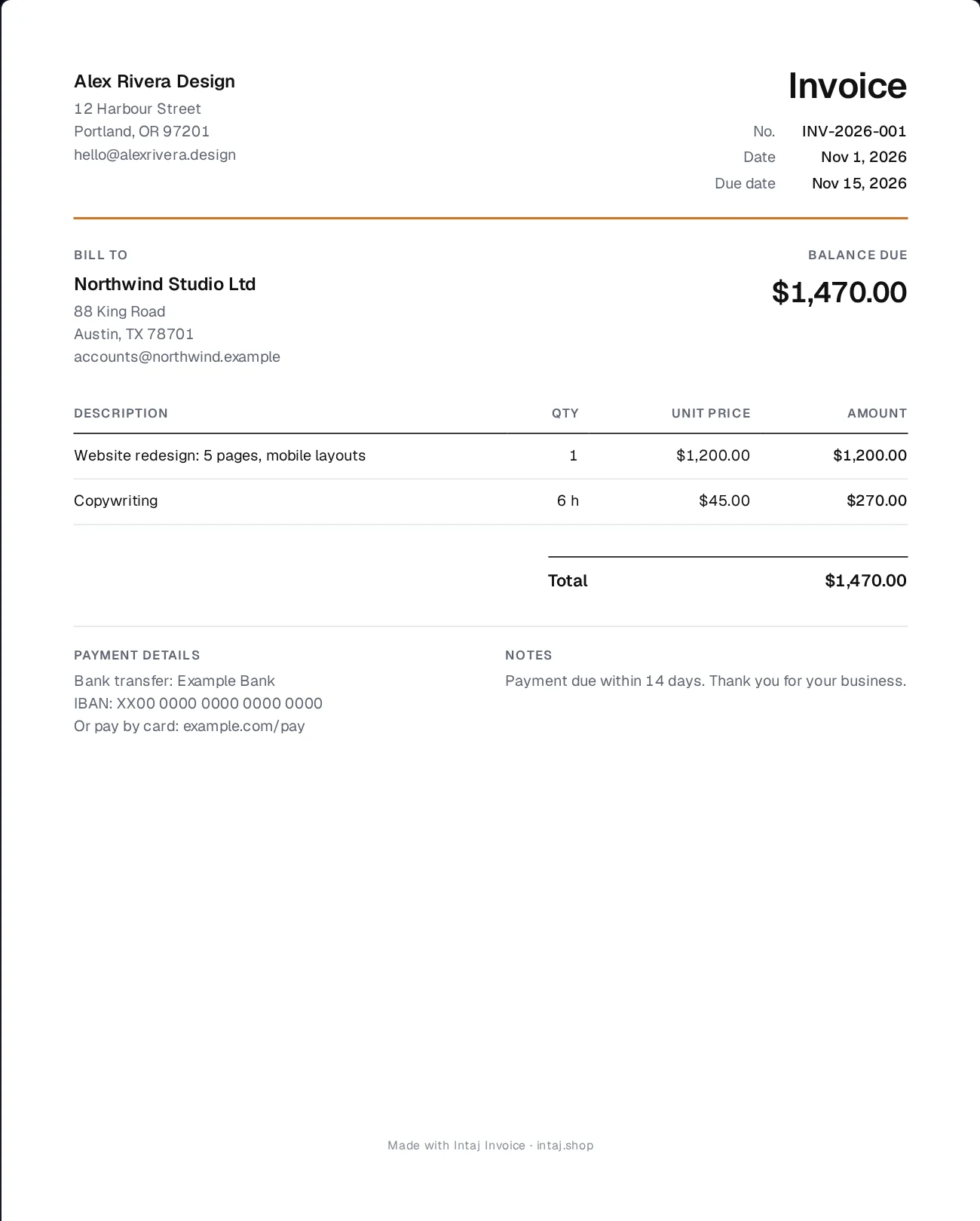
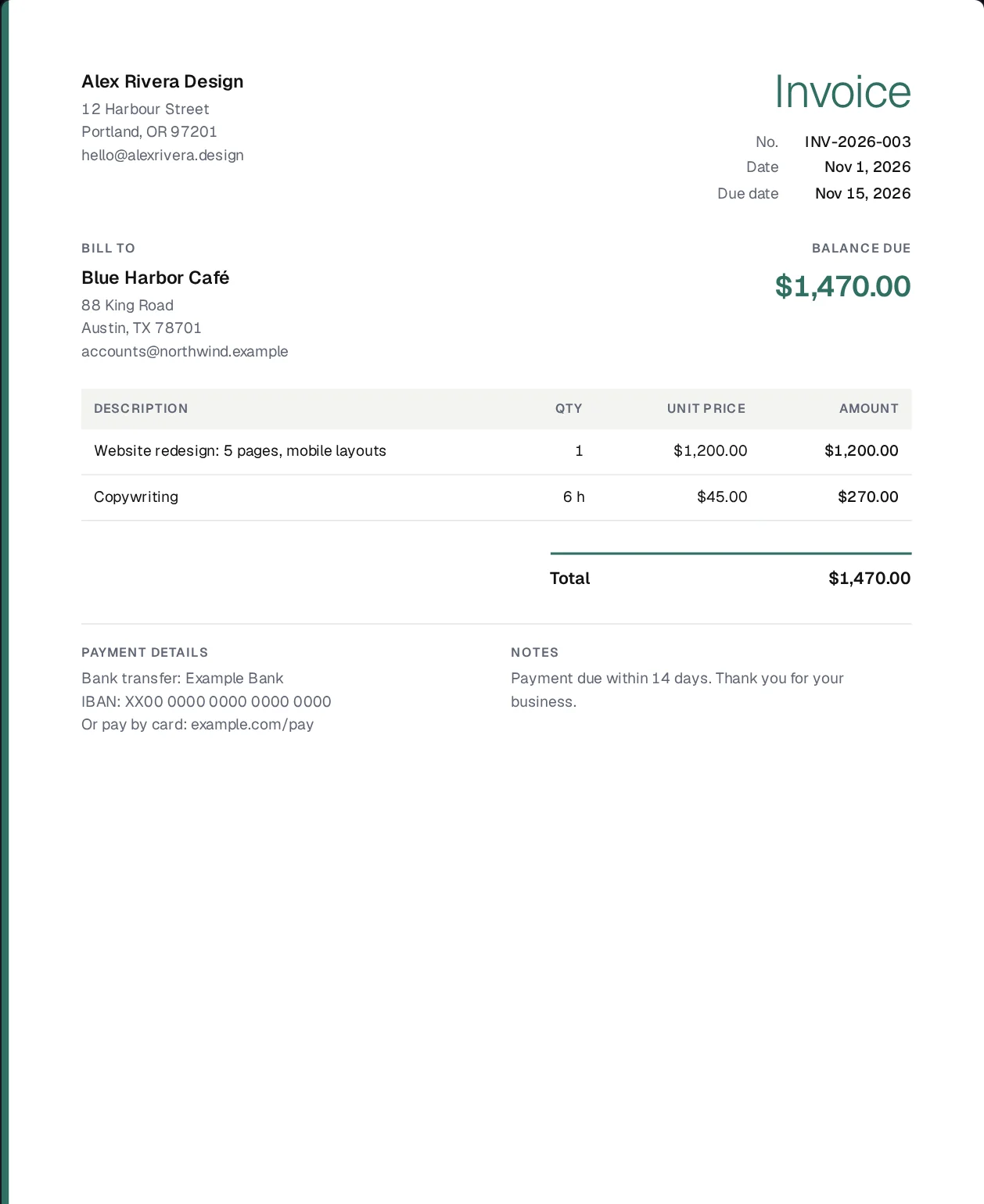
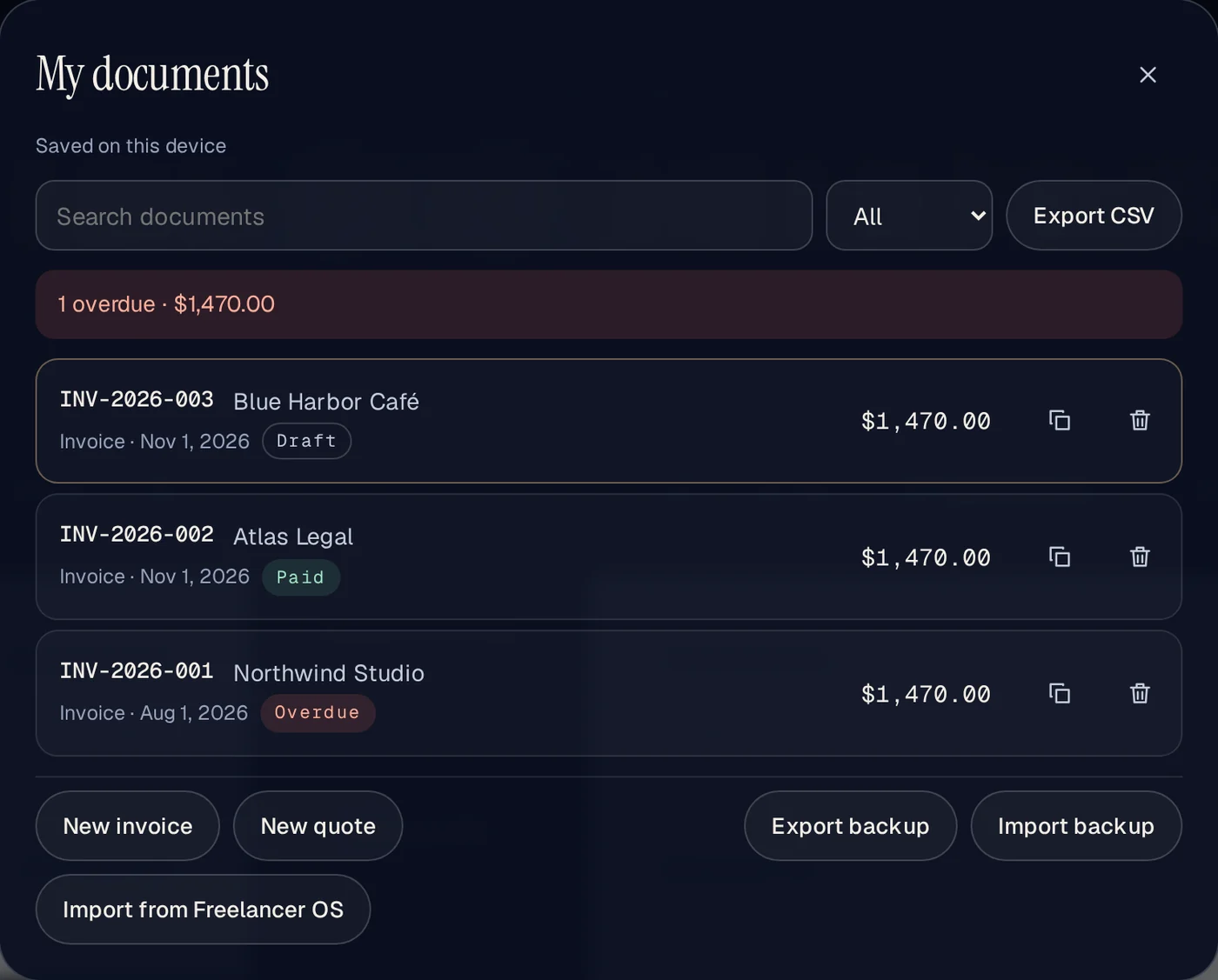
One invoice, two languages
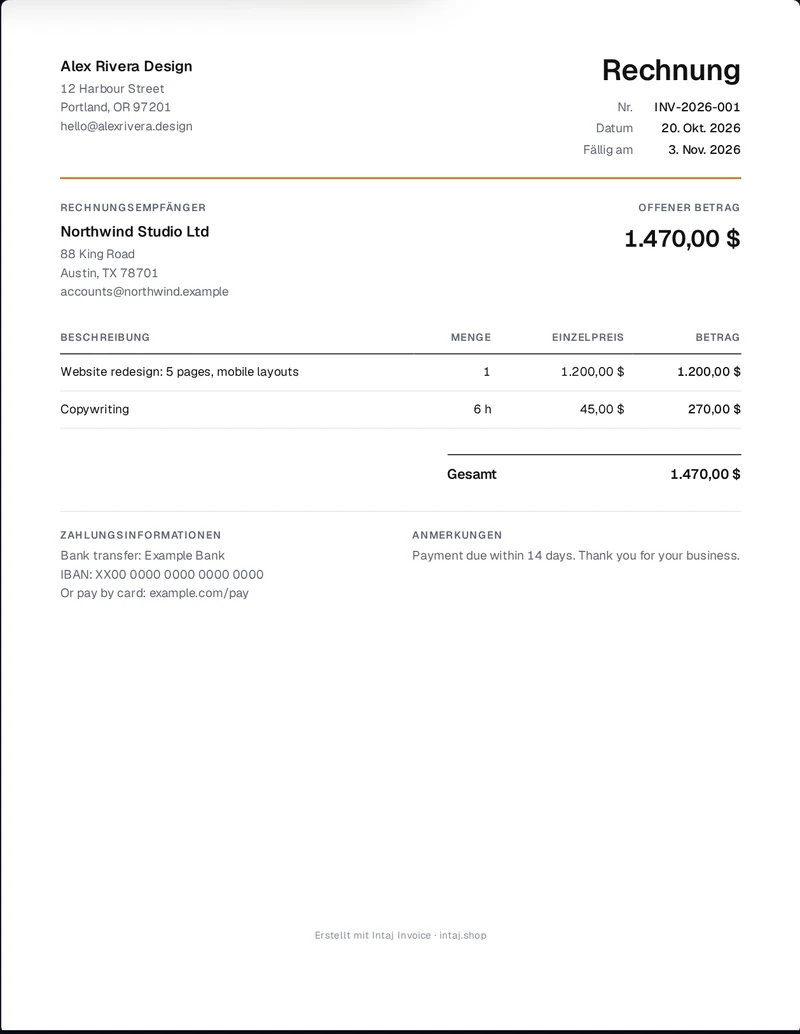
Type in the language you think in, then change Document language for your client. The labels, the date format and the number format switch; your names and line items stay exactly as you wrote them. 17 document languages, including Arabic right to left.
What goes on an invoice
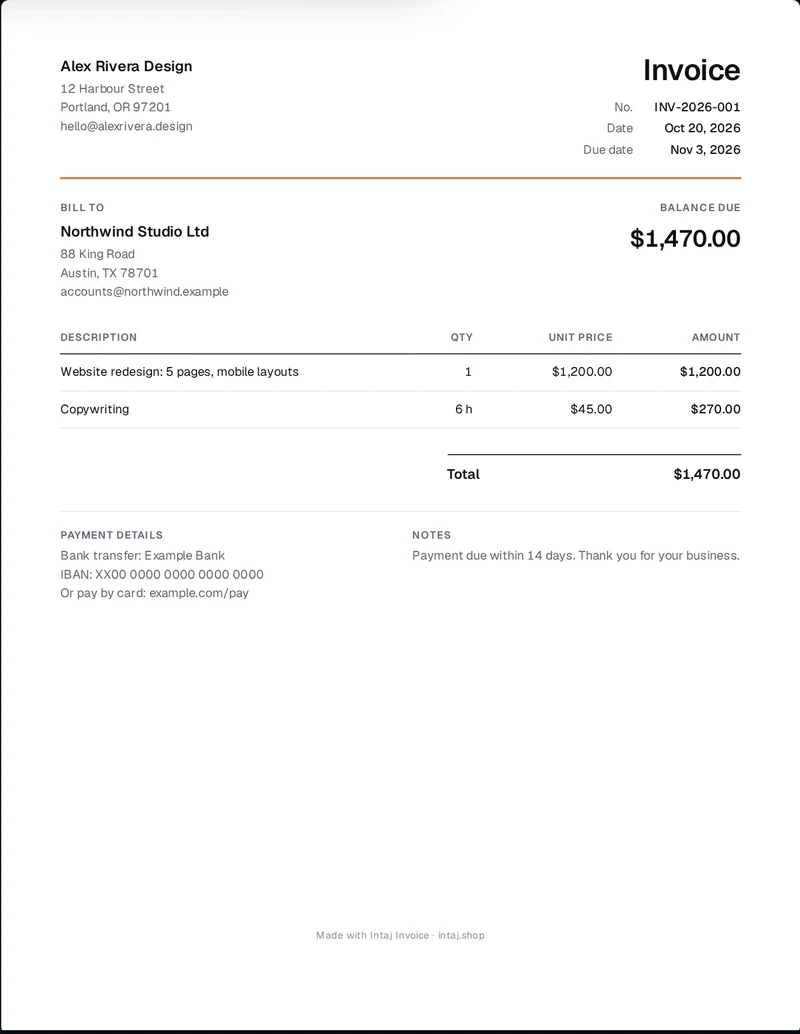
A client should be able to pay from the invoice alone, without writing back to ask anything. The form above asks for exactly that:
- Who it is from and who it is to: names, addresses and, where your country requires it, tax numbers.
- A unique invoice number and the date. The maker continues your numbering for you (INV-2026-001, INV-2026-002…).
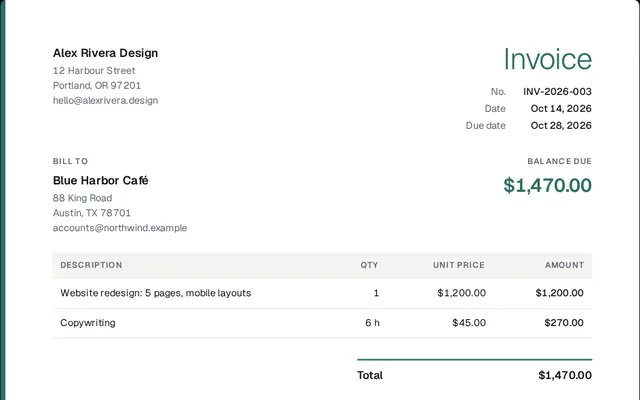
- What you did: one line per item, with quantity, unit price and line total.
- Tax, discount and the total, each tax on its own line.
- When and how to pay: the due date and your bank, IBAN or payment link.
The full checklist, with examples, is in our guide how to write a freelance invoice.
Prefer paper? Download the blank invoice template (PDF, A4 or US Letter).
Get paid from the invoice
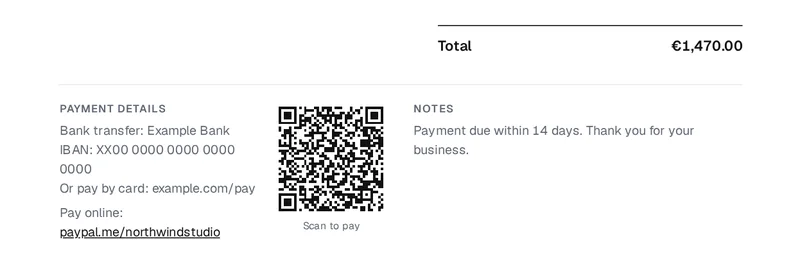
The free version puts your own way to be paid on the PDF, so your client can pay without writing back:
- Payment link: paste your own PayPal, Stripe, Wise or bank link. It prints on the PDF as a link the client can click.
- Payment QR code: a SEPA transfer QR on invoices in euros (account holder and IBAN), or a Pix QR on invoices in Brazilian reais (your Pix key), for the balance due. Scan it once with your own banking app before you send.
- Reminders: Email reminder and WhatsApp reminder open your own email app or WhatsApp with a ready message in the language of the invoice. We send nothing and never see it.
Your country’s tax: pick your country next to Tax defaults for and press Apply, and the usual rate fills in, for example VAT 20% in the UK. The US has no default, because sales tax depends on the state. A default to check, not tax advice.
Add your payment link to an invoice
Once a client pays, mark the invoice as Paid and bring it into Intaj Books, our free income and expense book: it adds your expenses and shows your profit each month, on this device.
Two ways to keep going
- In your browser: this free tool, then a 14-day Pro trial with no card, then Pro at $9 a month, $49 a year or $99 once.
- In Notion: Invoice Tracker Lite (free), then Freelancer OS at $29 once, with clients, projects, time and invoices connected.
What Pro adds
The free version does the whole job. Pro is for people who send invoices every week: $9 a month, $49 a year or $99 once, with a 14-day refund. You can also try it free for 14 days with no card: open the tool above and press Pro.
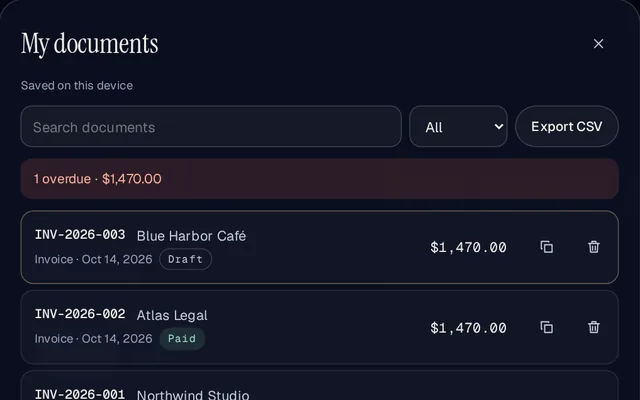
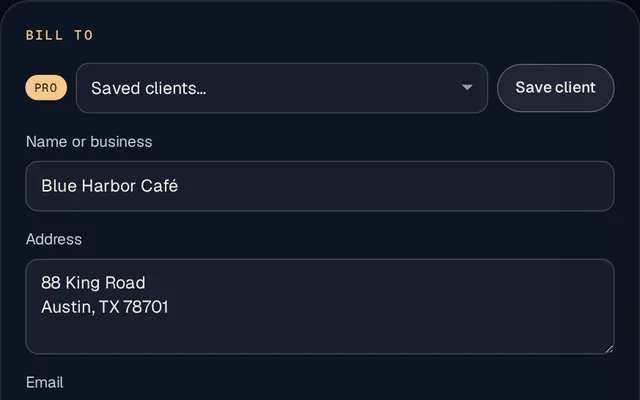
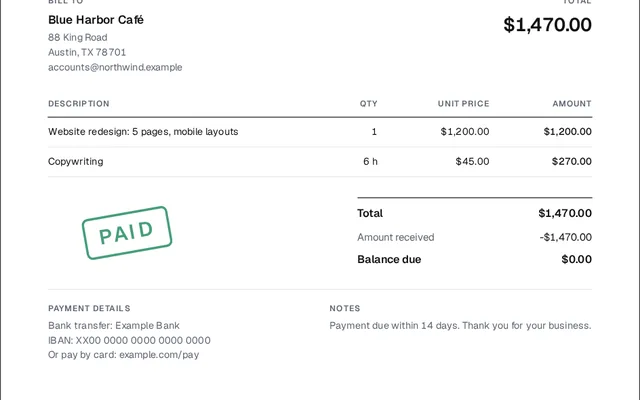
Also in Pro: business profiles, CSV export for your accountant, custom fields.
Templates for your trade
The same tool, set up with the usual lines and advice for your kind of work: cleaners, tutors, photographers, handymen and trades, short-term rental hosts.
Your data stays on your device
There is no account and no server copy. Your documents, client details and logo are kept in this browser’s storage on this device, and the PDF is made by your own browser. That also means clearing your browser data deletes them, so use My documents → Export backup now and then. The free version keeps your 10 newest documents editable and archives older ones: read-only, never deleted.
Find us on
Our tools are listed on these stores and directories.
 Microsoft StoreIntaj Invoice app for Windows
 Edge Add-onsIntaj Invoice add-on for Edge on a computer
 Firefox Add-onsIntaj Invoice add-on for Firefox on a computer
 G2Intaj Invoice profile
 CapterraIntaj Invoice profile
 GetAppIntaj Invoice profile
 FazierIntaj Invoice profile
Names and logos belong to their owners. Being listed there does not mean they endorse us.
Questions
Is it really free?
Yes. Make and download as many invoices and quotes as you like. Free PDFs carry a small “Made with Intaj Invoice” line at the bottom.
How do I get a PDF?
Press Download PDF. Your browser’s print window opens; choose Save as PDF as the destination. On a phone, use the share or print option the same way.
Can I use my own currency and tax?
Yes. Pick any of 56 currencies, add as many taxes as you need with your own names and rates, and say whether your prices already include tax. Negative rates work for withholding taxes.
Can the invoice be in another language?
Yes. The screen and the document have separate languages: fill in the form in your language and send the invoice in your client’s. Documents can be in 17 languages, including Italian, Dutch, Turkish, Polish, Indonesian, Swedish, Russian, Korean, Chinese and Hindi. The document language changes the labels, headings, dates and number formats; what you typed (names, addresses, line items, notes) stays exactly as typed.
Does it work offline?
Yes. After your first visit the maker works without a connection, and most browsers let you install it as an app from the menu.
Does it know my country’s tax rules?
It has tax defaults for 18 countries. Pick your country next to Tax defaults for and press Apply: the maker fills in the usual tax rates, the label for your tax number (for example SIRET in France or 登録番号 in Japan) and common notes you can add, such as the French VAT exemption line (art. 293 B du CGI) or the German small-business line (§ 19 UStG). They are defaults to check, not tax advice.
What if I clear my browser or change devices?
Clearing your browser data deletes the documents saved in that browser. Before that, or before you move to a new phone or computer, open My documents and press Export backup: every document goes into one file. On the new browser or device, open My documents and press Import backup.
What does Pro add?
Unlimited saved documents with search and filters, saved clients and an item library, several business profiles, two more templates with your own accent colour, no “Made with Intaj Invoice” line, quote to invoice in one click, a paid stamp and receipts, an overdue overview, CSV export and custom fields. It costs $9 a month, $49 a year or $99 once, with a 14-day refund. Your documents still stay on your device.
Is this an official e-invoice?
No. It makes PDF invoices and quotes. Some countries require certified electronic invoicing for some sales (for example business-to-business sales in Italy, and Germany is phasing it in). If that applies to you, check with your accountant. Nothing here is tax advice.
The tax rates and e-invoicing notes the maker suggests come from our open dataset, which lists the source and the date we checked it for each value.
Intaj Invoice Pro can also export an invoice as an XML file in the European EN 16931 formats (UBL, XRechnung or the Factur-X XML). Check the file with the official validator before you rely on it. The maker does not send invoices through any network, such as Italy’s SdI or Peppol.